
Delivery Collation
Record parcels in one organised system: sender, receiver, parcel and payment information.
Delivery Clarity
From receiving a parcel to assigning a driver and confirming delivery, LoadWise helps you organise your delivery business without the confusion of paper records and scattered WhatsApp messages.
Works on your phone or computer. Nothing to install.
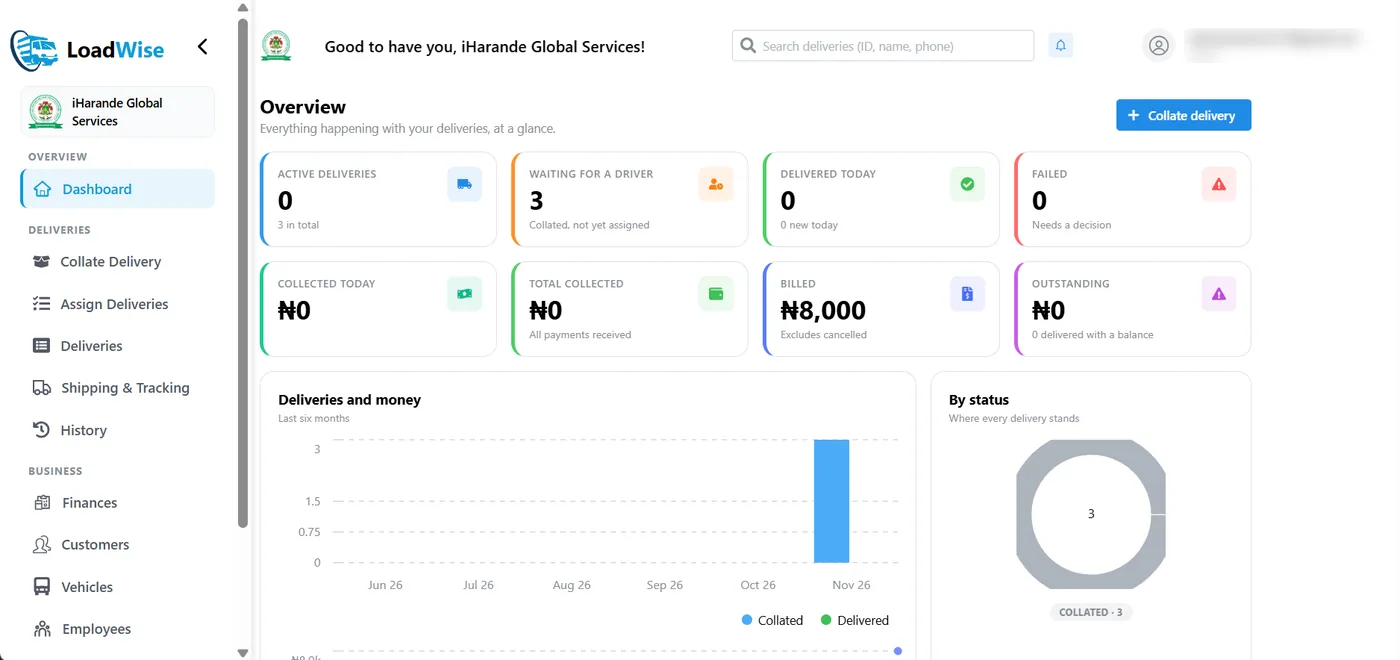
Every parcel you receive is saved in one place — not in a notebook or a long WhatsApp chat.
See which driver is carrying each parcel, and what stage every delivery has reached.
Customers check progress themselves with a tracking link — no account needed.
How It Works
When a customer brings a parcel, enter the receiver's details, the parcel description and the delivery amount. Add the sender's details if they give them. LoadWise creates a digital delivery record.
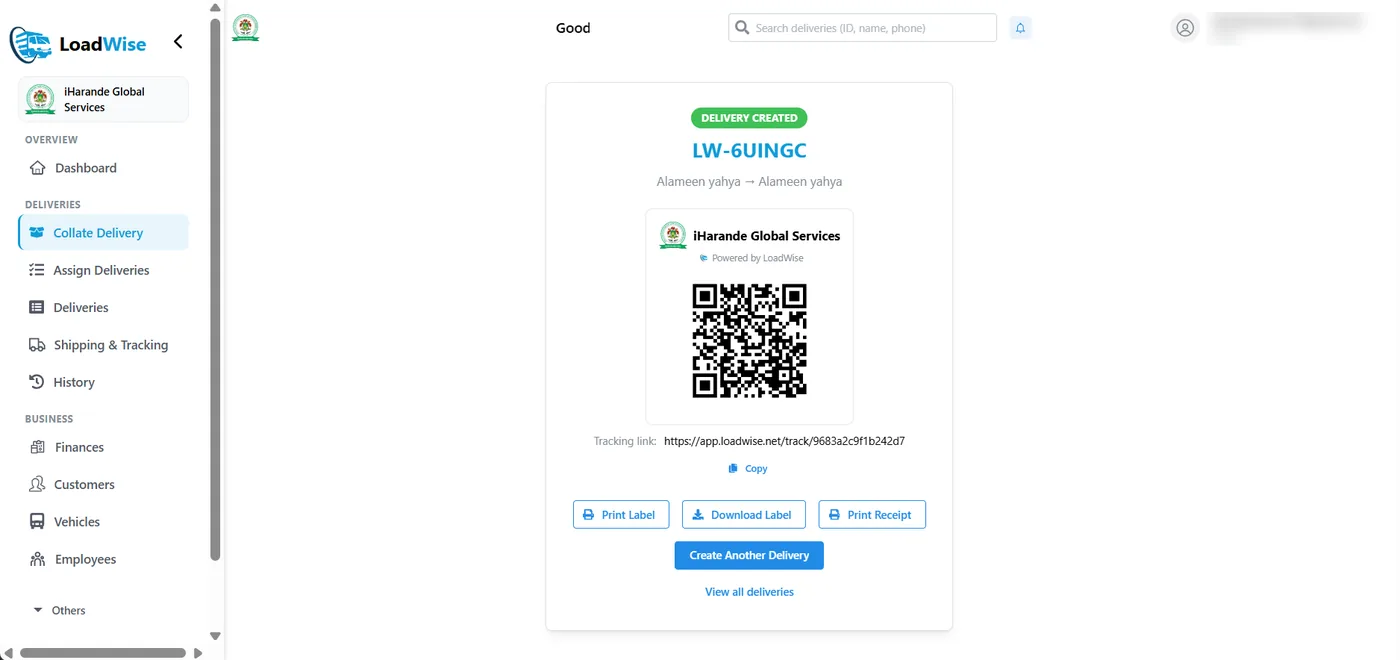
Once you create a delivery, LoadWise gives it a unique Delivery ID, a QR code and a tracking link. Print the label and stick it on the parcel.
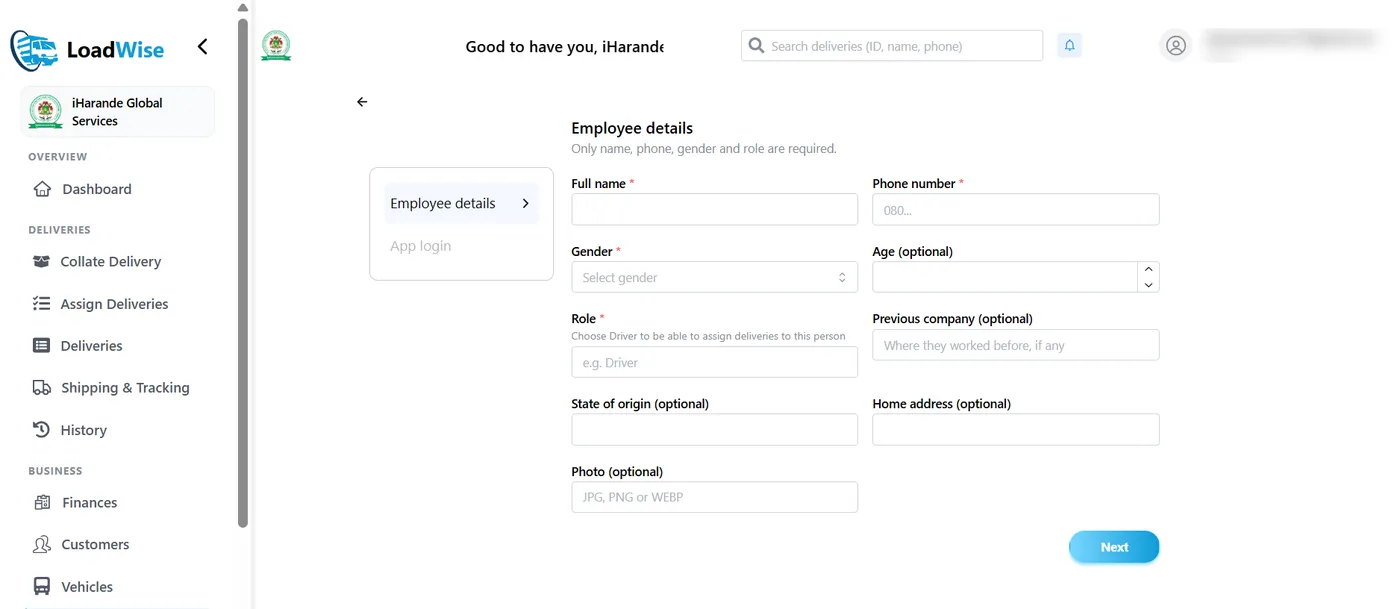
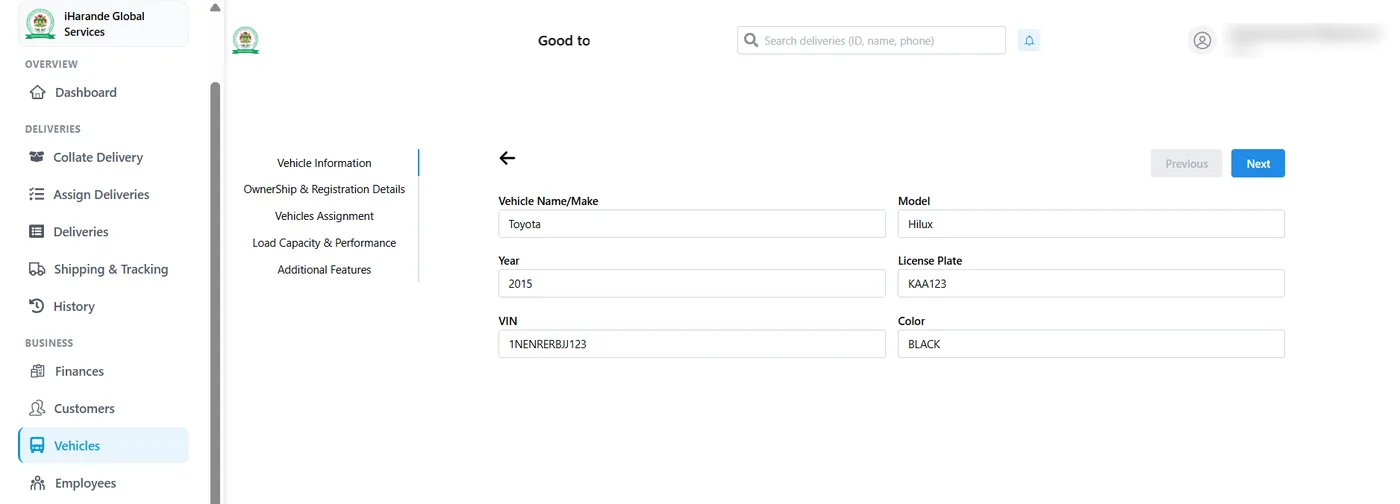
Add your driver as an employee and register the vehicle used for deliveries. A driver must be registered before you can choose them for a delivery.
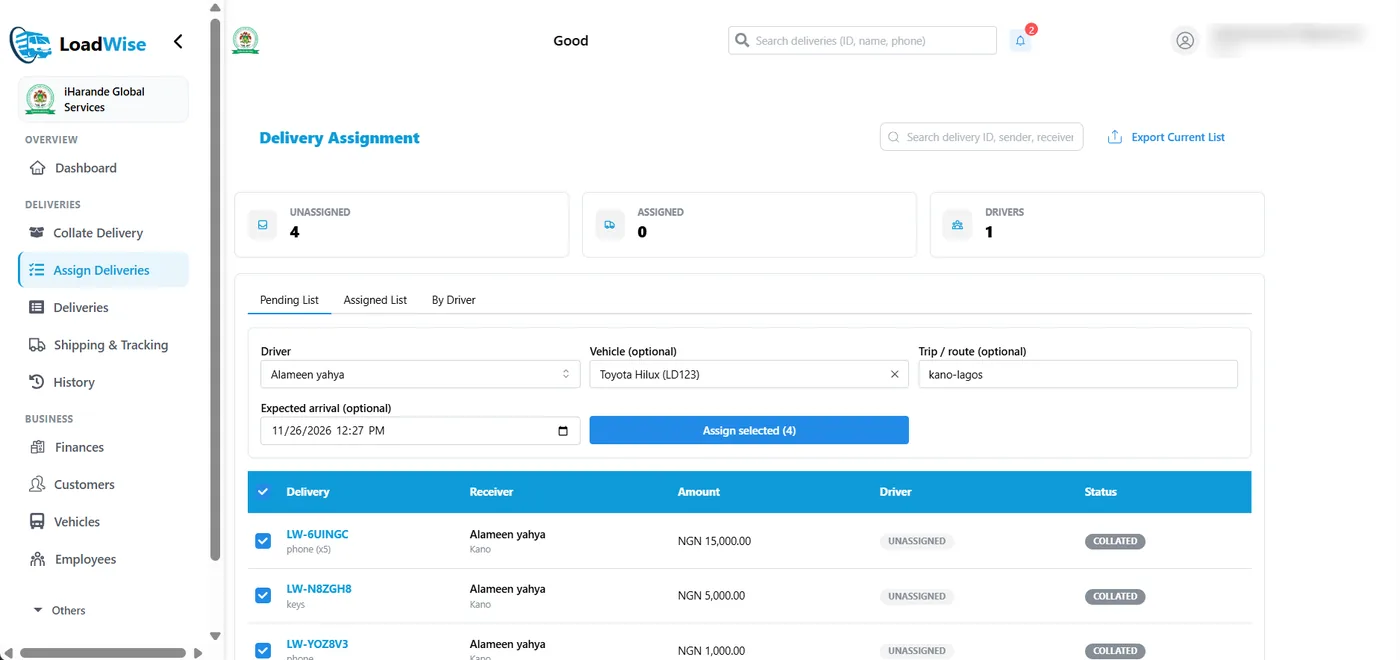
Select the waiting delivery, choose the driver and, if you use one, the vehicle. The delivery moves from Collated to Assigned.
Update the delivery as it moves: Dispatched, Arrived, Delivered. Customers follow along with the tracking link without logging in. When the parcel is handed over, record the confirmation.
If something goes wrong, a delivery can also be marked Failed or Cancelled, or put On hold with a reason and resumed later from the same stage.
Features
Record parcels in one organised system: sender, receiver, parcel and payment information.
Every delivery gets its own Delivery ID. Use it to find and identify the parcel at any time.
Print a branded parcel label with a QR code, and a receipt for the customer. Labels can also be downloaded as an image.
Assign one or several deliveries to a registered driver, with a vehicle and expected arrival time if you need them.
Share a tracking link. Customers see the delivery's progress without creating an account.
Senders and receivers get email updates as the delivery moves — for example when it is on its way and when it is delivered.
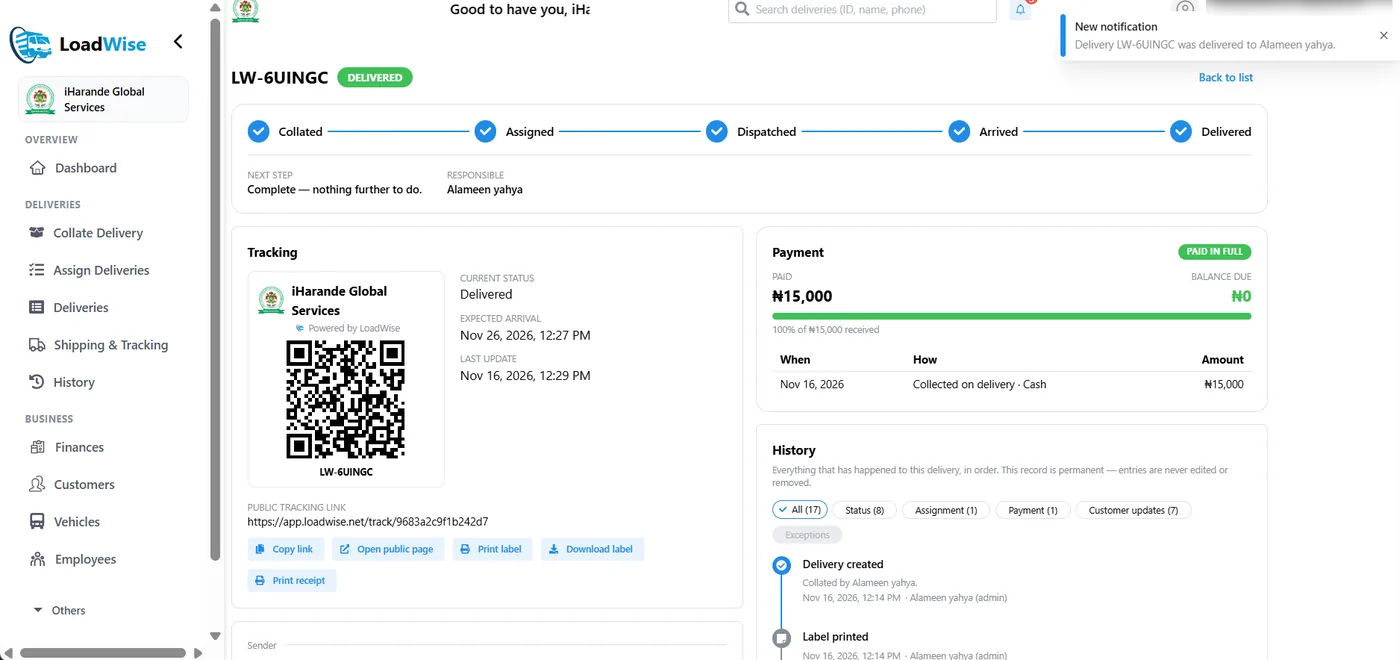
Record who received the parcel, how it was confirmed, and any payment collected on delivery.
A dated record of every step — who did what and when — for each delivery, in one place.
Step-by-step guide
You do not need to be a technology expert. If you can use a smartphone, you can learn to use LoadWise.
A driver can have their own login to update their deliveries from their phone (Employee with Access), or be registered without a login (Employee without Access).
Select Create Delivery. LoadWise creates the Delivery ID, QR code and tracking link. Copy the link, print the label, or print a receipt.
Vehicles marked Under Maintenance or Decommissioned can't be chosen for deliveries.
The delivery moves from Collated to Assigned.
Open the delivery and use the buttons to move it along:
Each update is saved in the delivery's history, and the customer sees the new status on the tracking link. Senders and receivers who gave an email address also get an email at each step.
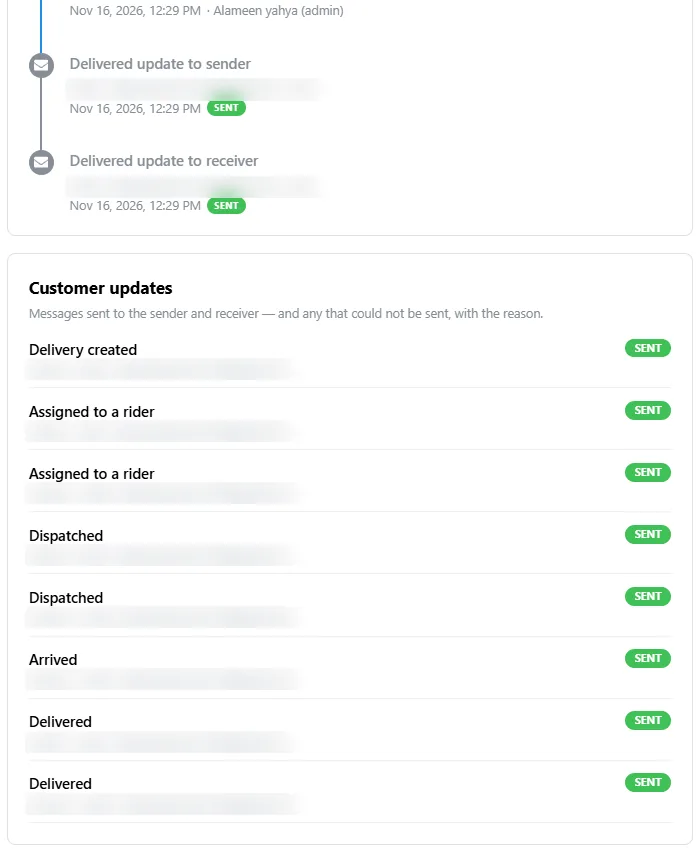
When the receiver gets the parcel:
The status becomes Delivered and the history is updated.
Customer tracking
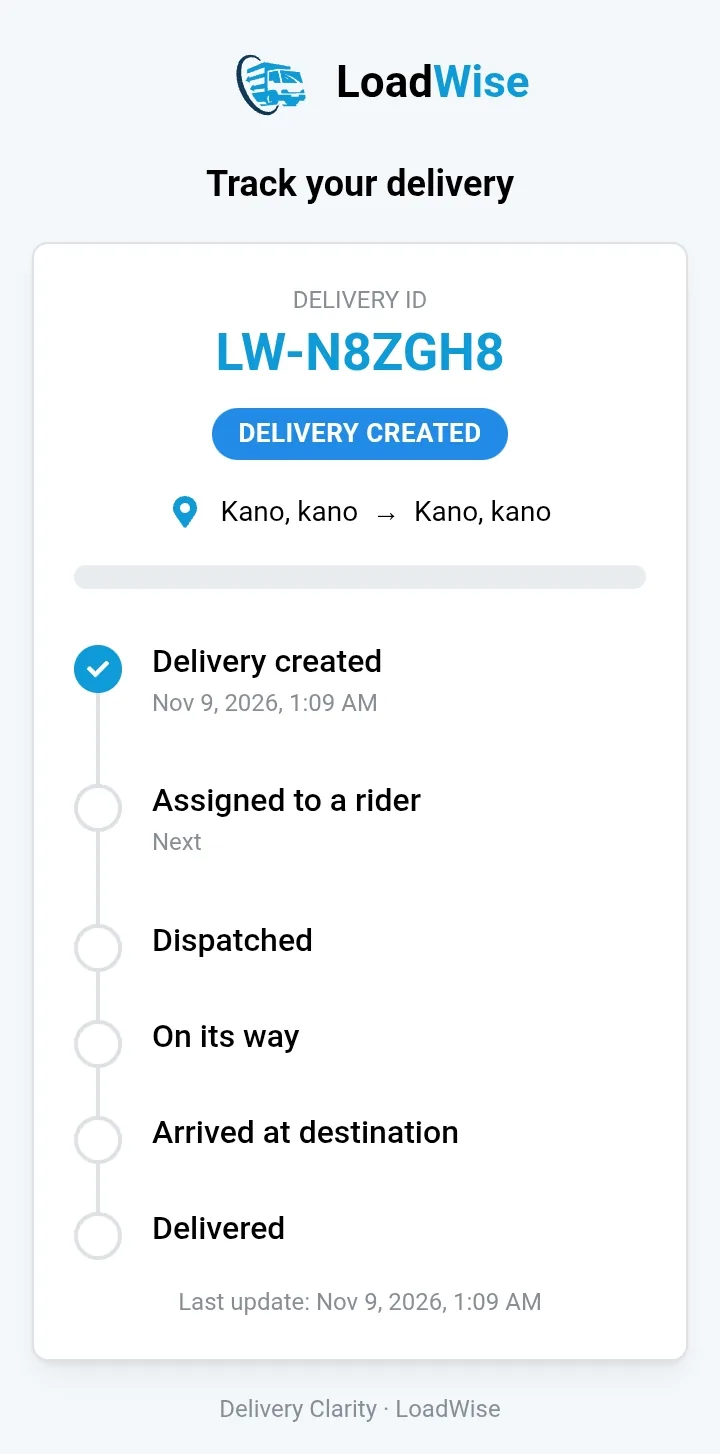
Once a delivery is recorded, LoadWise creates a tracking link you can share with the customer — by WhatsApp, text or any way you like. The link is also in the parcel's QR code. The customer opens it without logging in.
Customers don't have to keep calling you just to ask where their parcel is.
The tracking page shows the delivery's status as you update it. It does not show a live map or the driver's location.
Who LoadWise is for
Organise parcels and assign them to drivers without relying entirely on paper records.
Manage many deliveries at once and keep a record of their progress.
Know which deliveries are waiting, assigned, dispatched or completed.
Build a more organised delivery operation on one central digital system.

Meet the Founder
Abubakar Sani — Founder & CEO, LoadWise
Abubakar Sani is an entrepreneur, electrical engineering graduate, and licensed Flight Operations Manager with a deep-rooted connection to the logistics and transportation industry.
Growing up around a family-managed logistics business gave him firsthand exposure to the operational challenges facing delivery businesses. Combined with his technical background and aviation operations experience, this shaped his conviction that Africa’s logistics industry needs better technology, visibility, accountability and infrastructure.
He founded LoadWise to simplify logistics operations and bring greater clarity to how deliveries are managed, monitored and accounted for.
But the vision goes beyond building software.
The ambition is to make every delivery in Nigeria and eventually across Africa trackable, identifiable and accountable — creating the digital infrastructure that modern logistics requires.
Through LoadWise, Abubakar is working towards a future where logistics businesses operate with the same level of visibility and accountability that technology has brought to financial transactions.
His philosophyLogistics should never operate in the dark.
Delivery Clarity. Built for the future of logistics.
FAQs
LoadWise is a web application for delivery businesses. You use it to record parcels, give each one a Delivery ID and QR label, assign drivers, share tracking links with customers and confirm delivery — all in one place.
Instead of searching through WhatsApp chats and notebooks, every parcel has its own record showing who brought it, who is carrying it, its current status and its full history. Customers can check progress themselves.
No. LoadWise works through its web application on a phone or computer. Delivery identification and status tracking don't need any extra hardware. Dedicated hardware tracking is a separate capability on the product roadmap.
Yes. Every delivery has a tracking link (also in its QR code) that you can share. It shows the Delivery ID, current status, expected arrival when you provide it, and the last update.
Yes. On the Assign Deliveries page, tick several deliveries in the Pending List, choose the driver and select Assign selected. You can also view and download each driver's list of deliveries.
Yes. Add the driver as an Employee with Access and they get their own login. A driver only sees the deliveries assigned to them, and can dispatch, mark arrived and confirm those deliveries. You can also register a driver without a login.
Yes. The tracking link opens a public page — no account, no app download. It only shows delivery progress, never phone numbers, addresses or amounts.
After you create a delivery, select Print Label. The label shows your company name and logo, the Delivery ID and the QR code. You can also download it as an image, or open any delivery later and print its label or receipt from there.
You record who received it, how it was confirmed and any payment collected. The status becomes Delivered, the history is updated, and the receiver gets an email update if you entered their email address.
Open app.loadwise.net. If your business is new to LoadWise, choose Sign up to create your company account; otherwise log in. Then add a driver, record your first parcel and assign it.
Start recording parcels, assigning drivers and tracking deliveries with LoadWise.
Get Started with LoadWiseAlready have an account? Log in